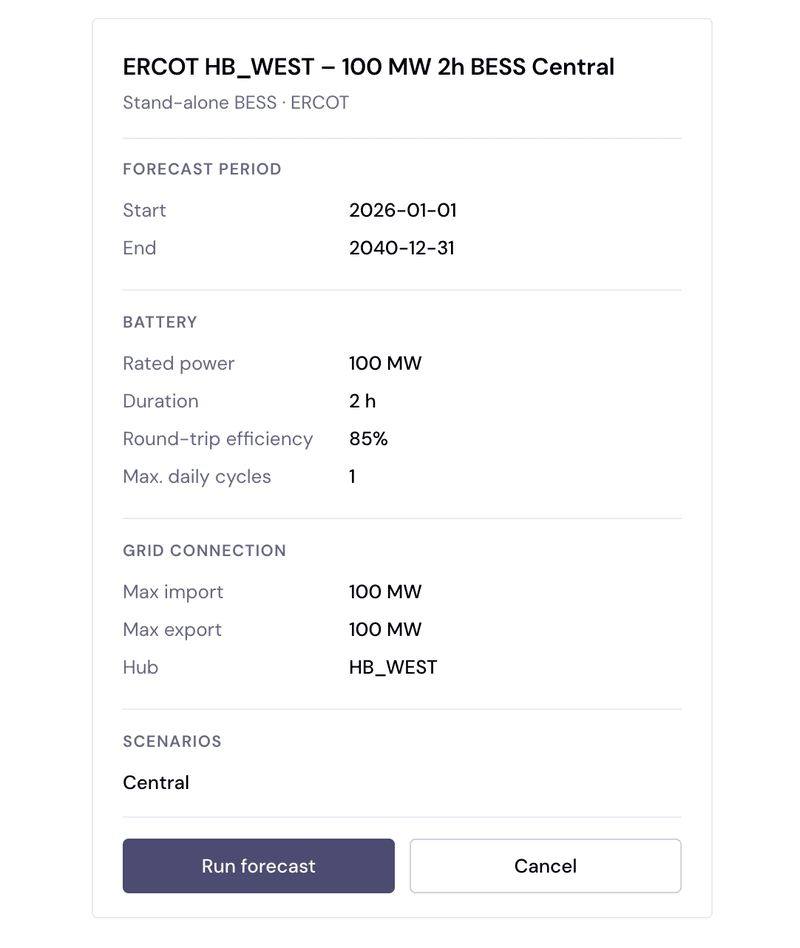
Ko now supports the full forecast workflow
You can now create a forecast directly in Ko. Tell Ko the details of your asset, and it configures and runs the forecast for you.
Why it's useful
Ko now supports the full forecast workflow. Use Ko to understand the input parameters, configure a run, analyze the results, and dig into the methodology.
How Ko helps at each stage of the forecast workflow:
- Understand the inputs for a forecast run, such as markets covered, duration, revenue streams, contracts, and world view, so you can configure a run with confidence.
- Launch runs and check their status directly in the Ko chat.
- Analyze the outputs of a run, or compare runs to see where revenues diverge and why. Read the full guide to analyzing forecasts in Ko.
- Dig into the methodology behind every run, and review Ko's cited sources, so you can defend every figure.
How to run a forecast directly in Ko
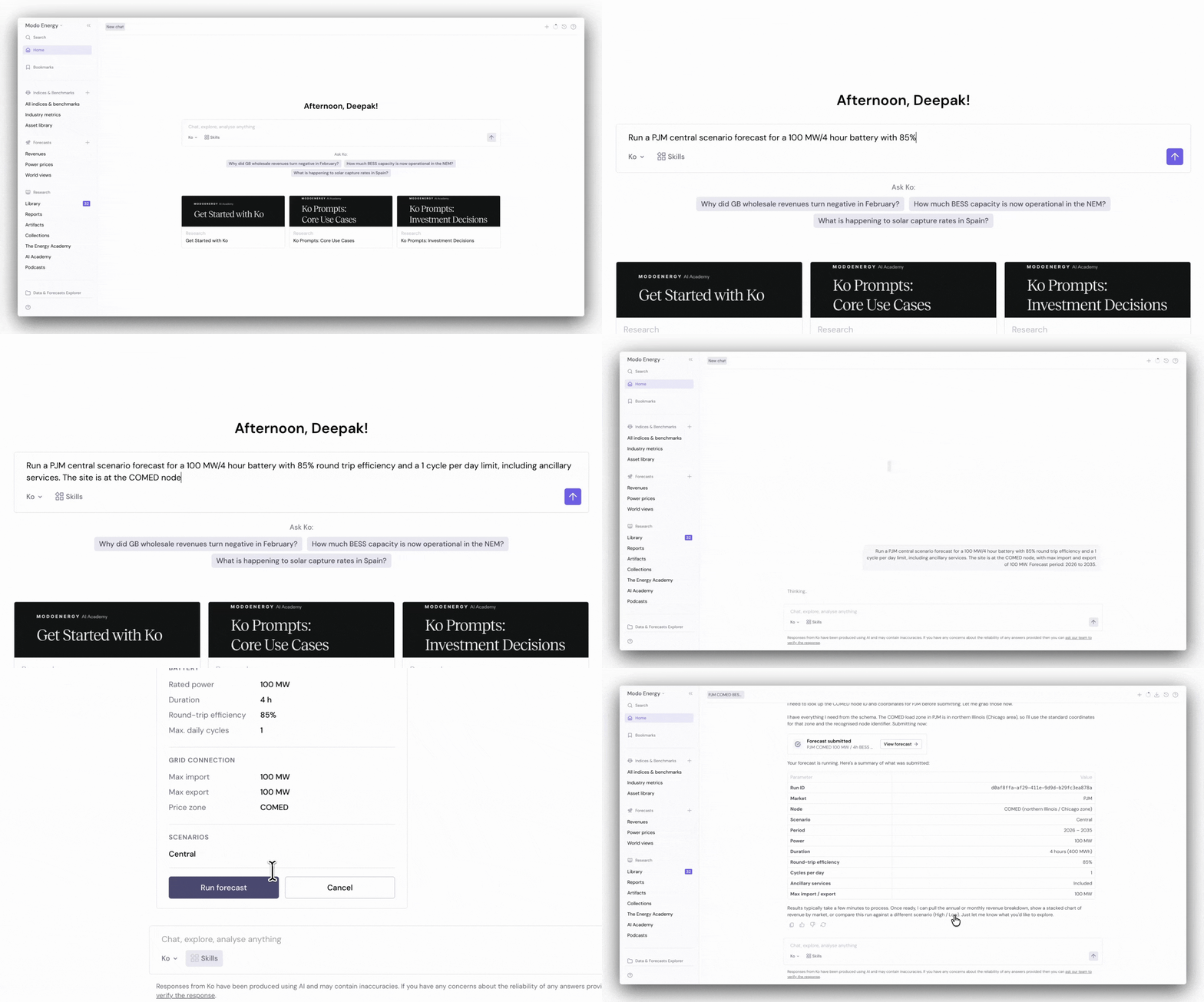
1. Describe the details of the run in the chat.
Specify size, duration, location, cycling limits, contracts, etc.
Tip: If you're unsure which parameters are adjustable or what anything means, just ask Ko in the chat.
2. Confirm the configuration and launch the run.
When the confirmation window pops up, click 'Run forecast'. To change any of the configurations, click 'Cancel', then ask Ko to make the changes in the same chat.