How to use Ko for Benchmarks
Modo Energy's benchmarks track battery revenues and revenue opportunities across different markets.
With Ko you can understand the different benchmark types, pull a benchmark's revenue numbers, compare multiple benchmarks, or understand the methodology.
Understand the types of benchmarks
Modo Energy provides four types of benchmarks. You can ask Ko about each one:
- Asset Derived — the performance of real grid-scale batteries, built from asset-level data.
- System Derived — the performance of the battery energy storage fleet based on system-wide operational data.
- Spread (TB) — the theoretical arbitrage opportunity between the day's highest and lowest prices.
- Virtual asset — modelled revenue from running Modo Energy's global dispatch model for a configured battery.
Pull and compare benchmark revenue
For any benchmark, you can ask Ko for the revenue numbers for a specific time horizon, in your chosen granularity and unit.
You can also compare two benchmarks — one region against another, or one duration against another — to see where the difference sits. Quickly track how revenues are shifting over time, weigh one market against another, or pull a defensible number into a valuation or board pack.
Benchmark an asset against the market
When you want to know how a specific asset or portfolio is doing, you can measure it against the relevant index on a like-for-like basis.
You can use Ko to measure a specific asset or portfolio directly against any benchmark.
This is useful when you want to assess whether an asset is beating its market, see region-specific portfolio performance, show an owner where their portfolio stands, or explain a performance gap to an investment committee.
Turn the data into a chart
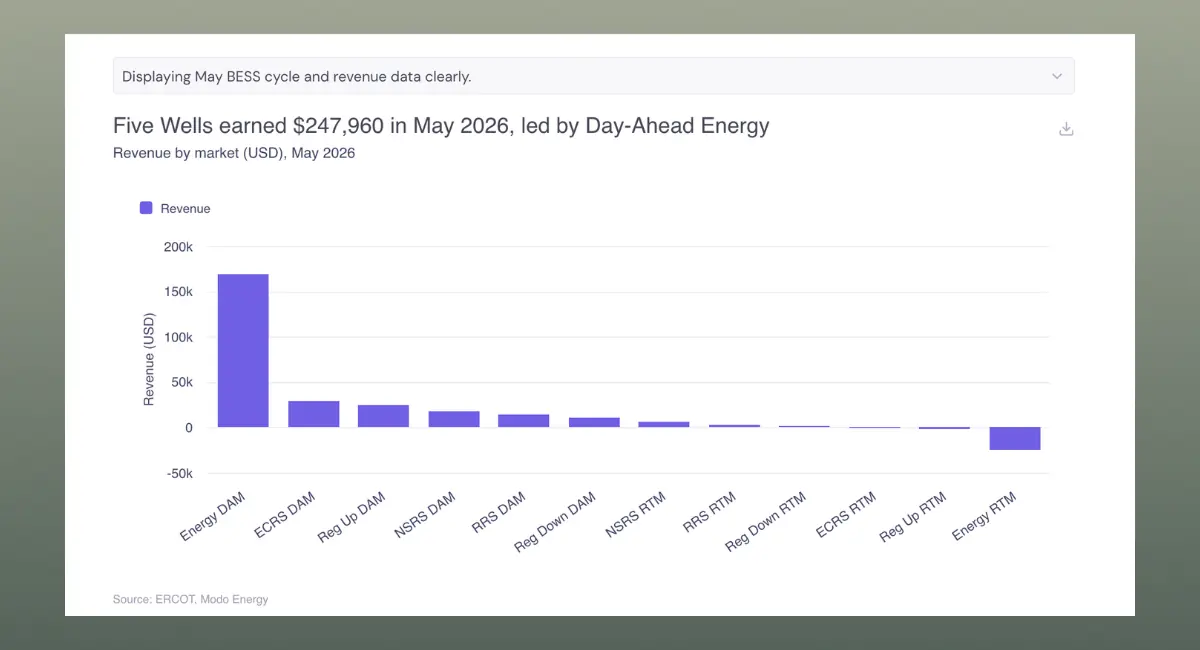
After pulling data, you can have Ko chart it. Try asking Ko to create a revenue time series, a stacked market breakdown, or a multi-benchmark comparison.
Understand how a benchmark is calculated
Every Modo Energy benchmark has published methodology, and Ko understands it. You can ask how a figure is built, which markets a methodology covers, or what sits inside a specific index, and Ko explains it in plain language with a link to the source.
That means you can rely on a number knowing exactly what's behind it, and answer methodology questions without digging through the docs yourself.
Configure custom indices and virtual assets
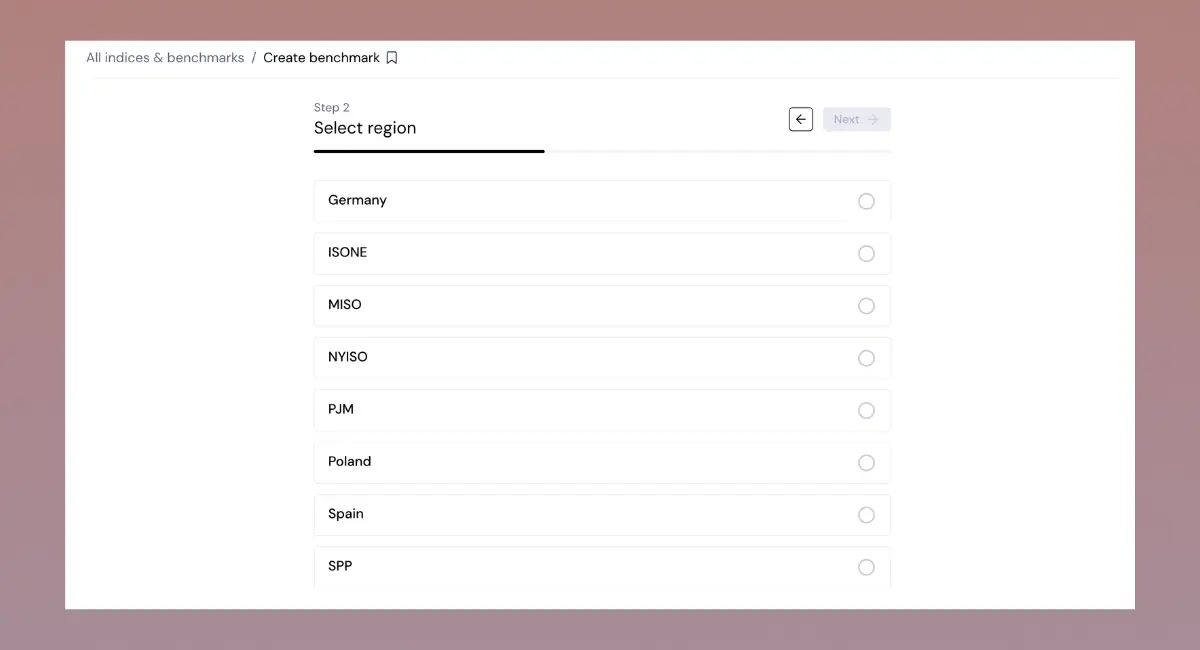
Beyond the published benchmarks, you can build a custom index or a virtual asset on the Modo Energy Terminal.
- A custom index is a benchmark you can build for a specific set of batteries you would like to track, rather than a market-wide index
- A virtual asset is a simulated battery configured around your exact specifications
Ko can walk you through the options as you set one up: which markets are supported, which filters and parameters are available, and what each choice does to the result.
See the full guides on creating a custom index and a virtual asset.
Analyse custom indices and virtual assets
Once you've built a custom index or virtual asset, Ko can read it alongside the published benchmarks. You can pull its revenue, track how it's trending, and see which markets are driving the result.
Custom indices:
Virtual assets:
Ready to go further? Open Ko in the Terminal, pick a benchmark you work with, and start with one of the prompts above.
Related articles
Ko Prompts: Core Use Cases — the everyday ways to get value from Ko.
Ko Prompts: Investment Decisions — prompts for analysts and investment teams to make the most of Ko.
How to use Ko to analyze forecasts — guide to use Ko to understand and analyse your forecasts.