Use Modo Energy in your own AI tools
This guide helps you bring Modo Energy's data and research straight into the AI tools you already use, like Claude, ChatGPT and Microsoft Copilot. Instead of coming to Modo Energy, Modo Energy comes to you, grounding your own assistant in regulated benchmarks, bankable forecasts, market data, and expert research.
This guide explains what MCP is, how it differs from working in the Terminal, what it unlocks, and how to prompt so Modo Energy data actually shows up in your answers.
What is MCP?
MCP (Model Context Protocol) is an open standard, introduced by Anthropic, that lets AI tools connect to external data sources. Think of it as a common plug. Once an AI tool supports MCP, it can connect to any MCP server with just a URL.
Modo Energy runs its own MCP server. It connects Modo Energy's regulated benchmarks, bankable forecasts, market data, and expert research to Claude or any MCP-compatible AI tool. You ask questions in plain language, and the server returns investment-grade answers grounded in Modo Energy data across the markets we cover. Access is read-only, so the server retrieves and searches Modo Energy data but never changes anything in your account.
How Modo Energy via MCP differs from Ko in the Terminal
Both put Modo Energy's intelligence at your fingertips. The difference is where the work happens.
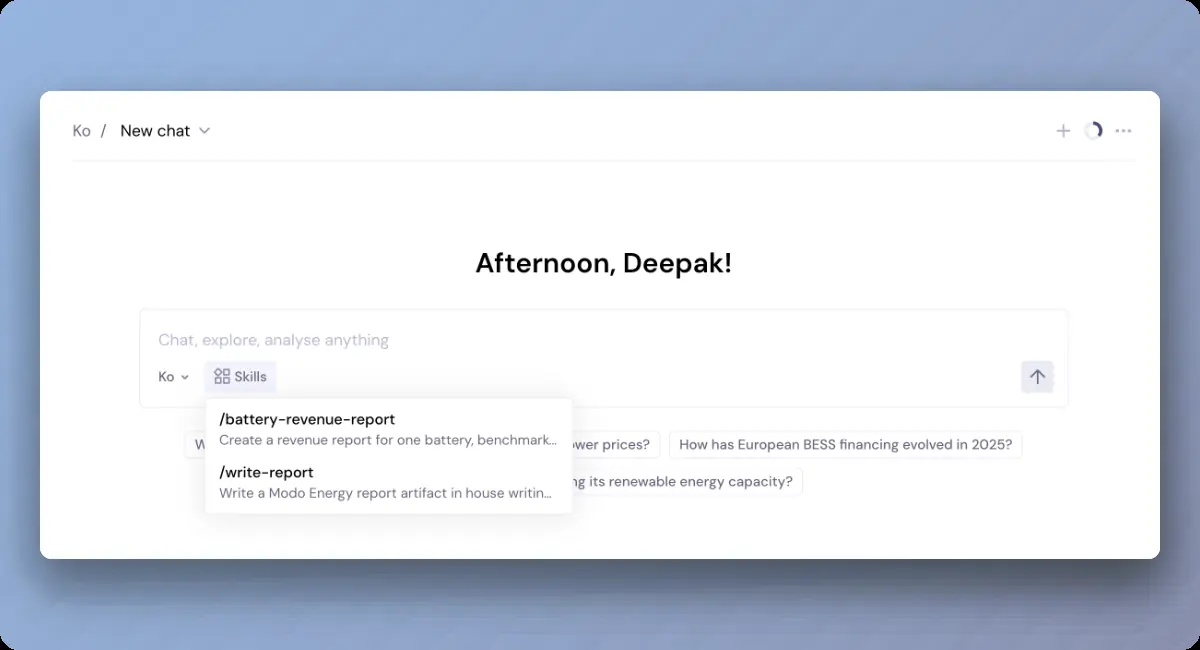
Ko in the Terminal is the full Modo Energy experience. Ko is the AI analyst built into the Terminal, with the charts, tables, and interface designed around energy market analysis. It is the best place to explore, visualise, and work with Modo Energy data directly.
Modo Energy via MCP brings that same underlying data and research into the AI tool you already use. Your chosen assistant does the reasoning, and Modo Energy acts as the trusted data layer it draws on. You stay in your own environment, keep your own context, and pull Modo Energy intelligence in without switching tabs or exporting files.
In short: use the Terminal when you want the full Modo Energy workspace. Use MCP when you want Modo Energy inside the workflow you already run.
What you can do with MCP
MCP unlocks things that only happen when Modo Energy lives inside your own tools:
- Work where you already work. Pull Modo Energy benchmarks, forecasts, and research into Claude, ChatGPT, Copilot, or Cursor, without leaving the tool or breaking your flow.
- Combine Modo Energy data with your own. Put Modo Energy benchmarks next to your portfolio spreadsheet, your financial model, or your own documents in the same conversation, and let your assistant reason across all of it.
- Bring Modo Energy into automated and agentic workflows. Add the server to a Copilot Studio agent or to Claude Code so Modo Energy intelligence feeds the processes and pipelines your team already runs.
- Use your team's preferred AI environment. Keep your existing prompts, context, and tools, and add Modo Energy as one more trusted source your assistant can call.
Data, privacy, and security
- Read-only. The MCP server only retrieves and searches Modo Energy data. It never creates, edits, or deletes anything in your account.
- Encrypted in transit. All data is transmitted over an encrypted connection (HTTPS).
- Only what you ask for. The server only accesses the data needed to answer your request.
- No personal data required. You do not need to submit any personal data to use the server, and you should not. The server is designed to answer questions about energy markets and analytics.
- How your AI tool handles your queries. When you use the server through a third-party AI tool (for example, Claude), the questions you type are processed by that tool's provider, which acts as an independent data controller for your interactions with its assistant. Modo Energy controls the account and usage data we collect when you connect.
For full detail on what we collect, how we use it, and how long we keep it, see the Modo Energy Privacy Policy.
Connect Modo Energy to your AI tool
MCP is available to both free and paying Modo Energy customers, though some data depends on your subscription. Setup takes a few minutes. You authenticate with your existing Modo Energy credentials over OAuth 2.0, so your AI tool never sees your password. The server URL is the same for every client: https://mcp.modoenergy.com/mcp.
Full step-by-step instructions are in the help centre: How to connect to the Modo Energy MCP server.
Jump straight to your tool:
Connect via Claude
Connect via Microsoft Copilot
Connect via ChatGPT
How to prompt so Modo Energy data is used in your answer
Connecting the server is step one. These habits make sure your assistant actually calls Modo Energy rather than answering from its own general knowledge.
- Make sure the connector is on. Some tools enable Modo Energy per conversation or only in new chats, so check it is active before you ask.
- Name Modo Energy in the prompt. Open with "Using Modo Energy, ..." or "Check Modo Energy for ...". This signals your assistant to call the server.
- Be specific, and always include a time period. Name the market, region, and duration (1-hour, 2-hour, 4-hour), and give a month, quarter, or date range. Benchmark and revenue questions need a time period to return data.
- Combine it with your own material. Ask your assistant to pull a Modo Energy number and then use it against your spreadsheet, model, or document in the same message.
- Follow up. Treat it as a conversation. Refine, drill in, and ask for the working. The depth comes from the back-and-forth.
If a question returns no data, add a specific time period and check that your subscription covers that market or product.
Example prompts
Eight prompts across four common use cases, written for MCP so your assistant pulls Modo Energy data into the work you are already doing.
Understand why your asset performed the way it did
Get up to speed on a new market
Stay on top of what's moving in the market
Find the right research and numbers
Ready to set it up? Follow the how to connect guide, connect your tool, and start with one of the prompts above. Name Modo Energy, be specific, and keep following up.
Related articles
Why Ko vs Claude or Copilot – How Ko and the Modo Energy MCP differ from Claude or Copilot
Ko Prompts: Core Use Cases — the everyday ways to get value from Ko.
Ko Prompts for Investment Decisions — prompts for investment-grade, high-impact work.